
News Updates
In the Admin > News Updates screen any user with appropriate permissions (e.g. administration staff) can add, amend or delete News Items.
News Updates may be displayed in the Dashboard and/or emailed for specified Employee Self-Service Kiosk Groups.
Click Add News Item. Existing News Items can also be edited or deleted by clicking the edit  or delete
  icons in the Action column.
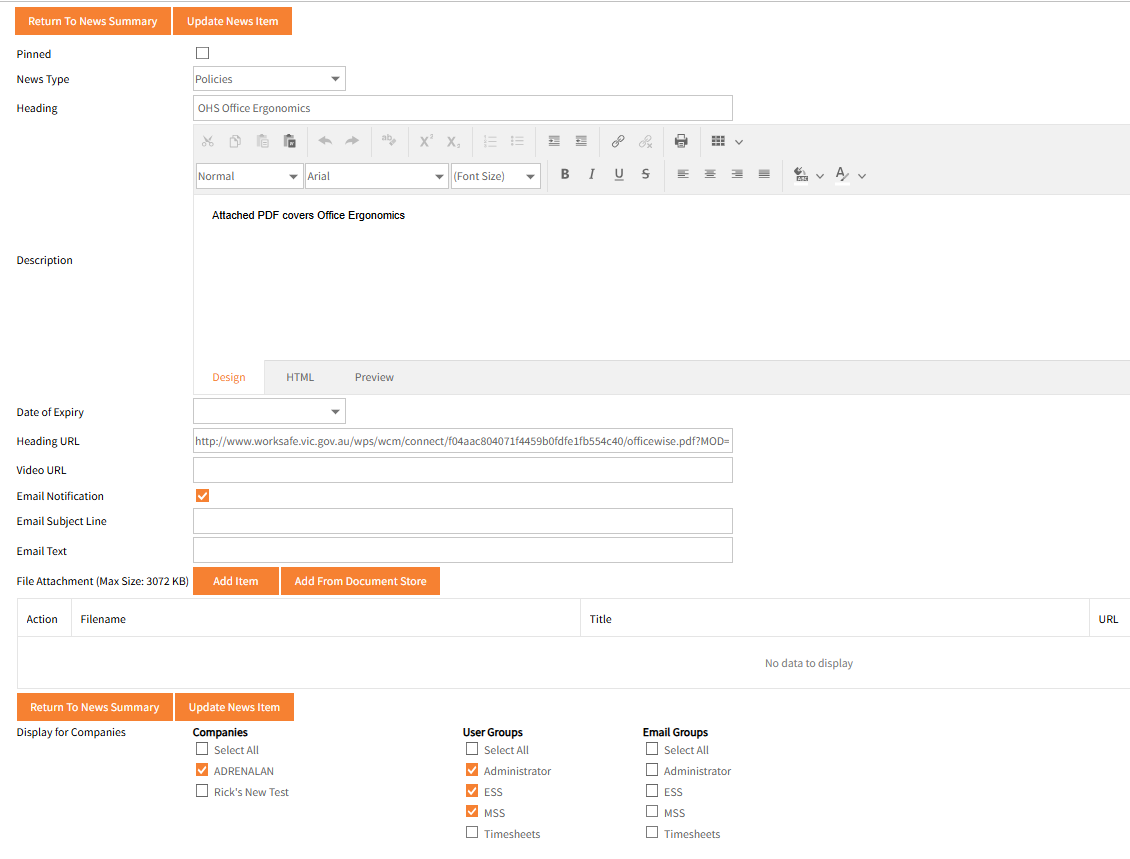
- Complete the details as required, particularly the Heading and Description fields.
The Description can be formatted including in HTML.
A Preview option exists, which is useful especially when using HTML. - Pinned sets that News Item to display at the top of the user’s Dashboard’s Announcements.
Multiple Items may be pinned with each new one being pinned going to the top. - From the News Type drop-down list, choose from Company Announcements, Notices, or Policies.
- Select a Date of Expiry for when this News Type is no longer valid - Use the drop-down arrow to display the calendar or type in a date..
- If there are any documents to be added, click Add Item or Add From Document Store.
- If there is an associated website for the News Item item, type in the address in Heading URL field.
You can also add URL's in the Description section of the News Item. - If there is an associated video in this News Item, enter the URL in the Video URL field.
- Tick the Email Notification, enter and Email Subject Line and Email text.
This will send a notification email to the Email Groups selected in Display for Companies section. - In the Display for Companies specify which Companies, for Multi Company organisations and which User Groups are to have access to the News Item
- Once you have specified the companies, select the appropriate User Groups within those companies click Save News Item.
Example of a saved news item:
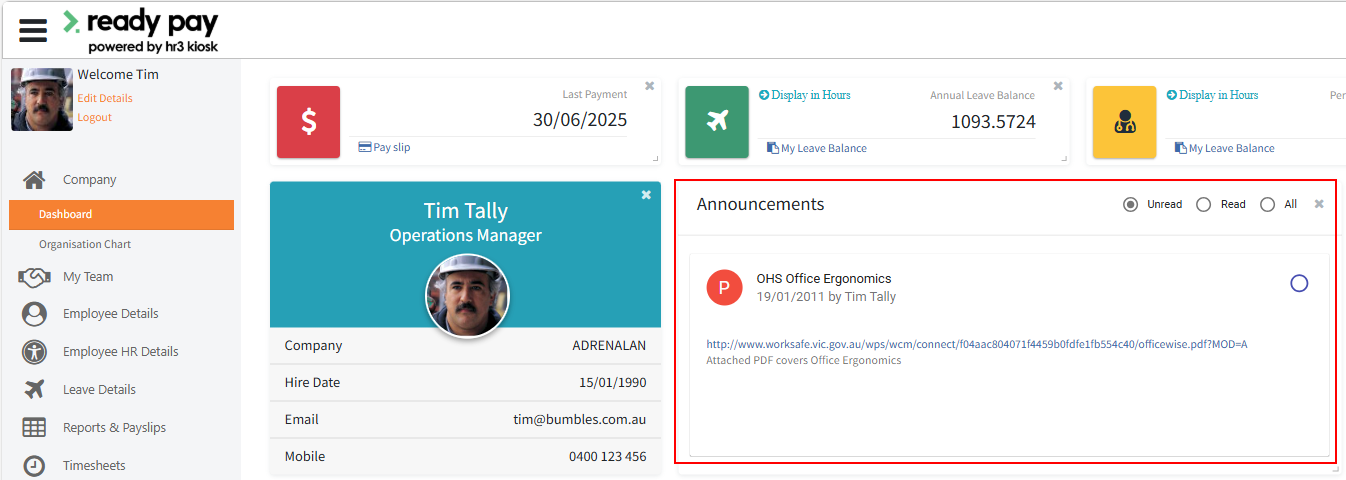
For the relevant Groups the News Item was published to, this Company Announcement appears in the Announcements widget on each user’s Dashboard, the first screen that appears on login to Employee Self-Service Kiosk:
Note: URL addresses can be included in News Items, Notices, Policies, and any other Documents area.
Currently these URL addresses must be a maximum of 200 characters.
If you enter a URL that is longer than this, it will be truncated when the item is saved, and therefore not work correctly when used.
We suggest you use a URL shortening service such as 'tinyurl' to circumvent this issue.